Running kubernetes on Jetson AGX Orin
I ran across a NVIDIA sale last Christmas for the Jetson AGX Orin. On paper it had 64GB of LPDDR5 and GPU with 2048 CUDA / 64 Tensor Cores, it runs Linux, it is power efficient, and it is battle tested for edge AI use cases. I’ve always wanted to run some models locally so this sounded like a good choice. I want to run some language, vision, and speech models on this machine and make it the AI brain of my homelab.
Once the machine arrived, however, I quickly realized this was going to be a larger project than I originally anticipated. The Orin series uses an older patched Linux kernel made for NVIDIA’s Tegra SoC (L4T). Since the machine already ran Ubuntu and I run Debian on my homelab nodes, I thought this was close enough to plug and play. I did not understand how the L4T kernel would affect how I’d like to use the Orin (in my k8s cluster).
I flashed the latest Jetpack version, ran ansible, and everything went wrong. Istio and longhorn, two of my most essential components, were failing.
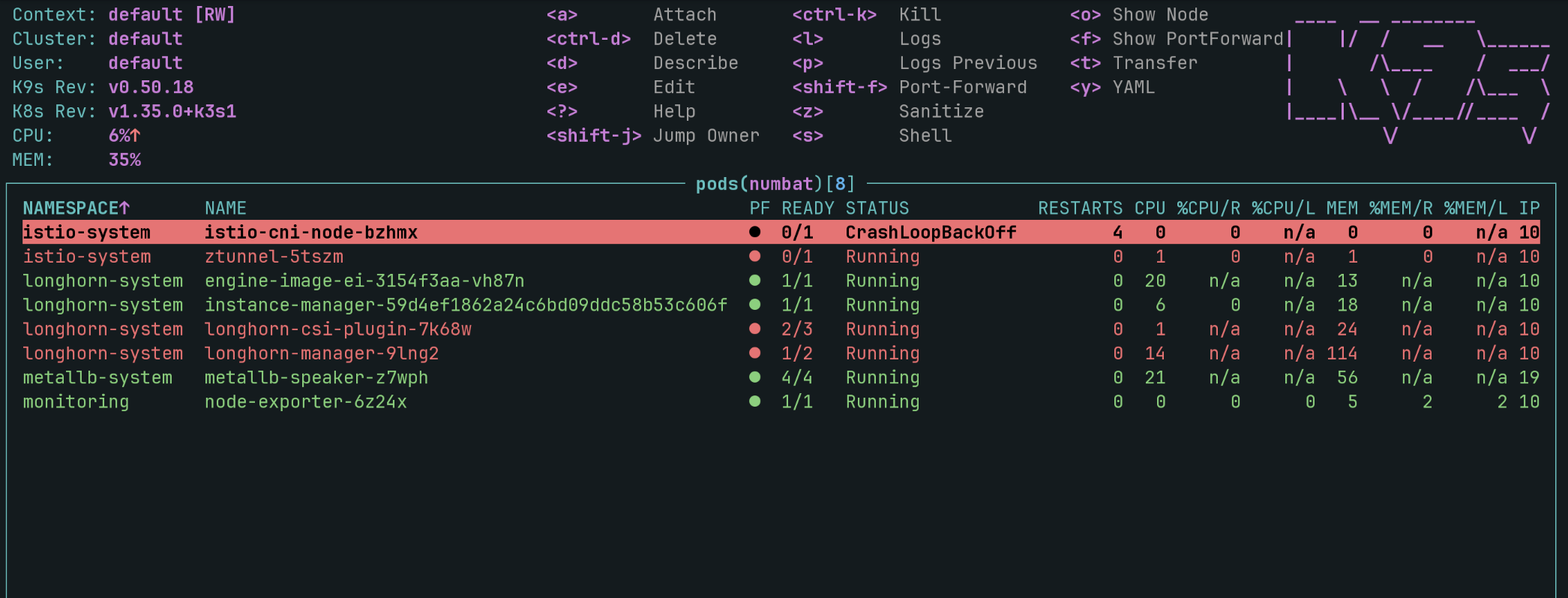
Istio CNI

I decided to start with istio first. I could work around not having longhorn with NFS but the pod networking needs to function. Tracing the error, it led me to an ipset error in the netlink golang library.
A quick lsmod / modprobe quickly revealed that the L4T Kernel does not have ip_set enabled by default.
Longhorn
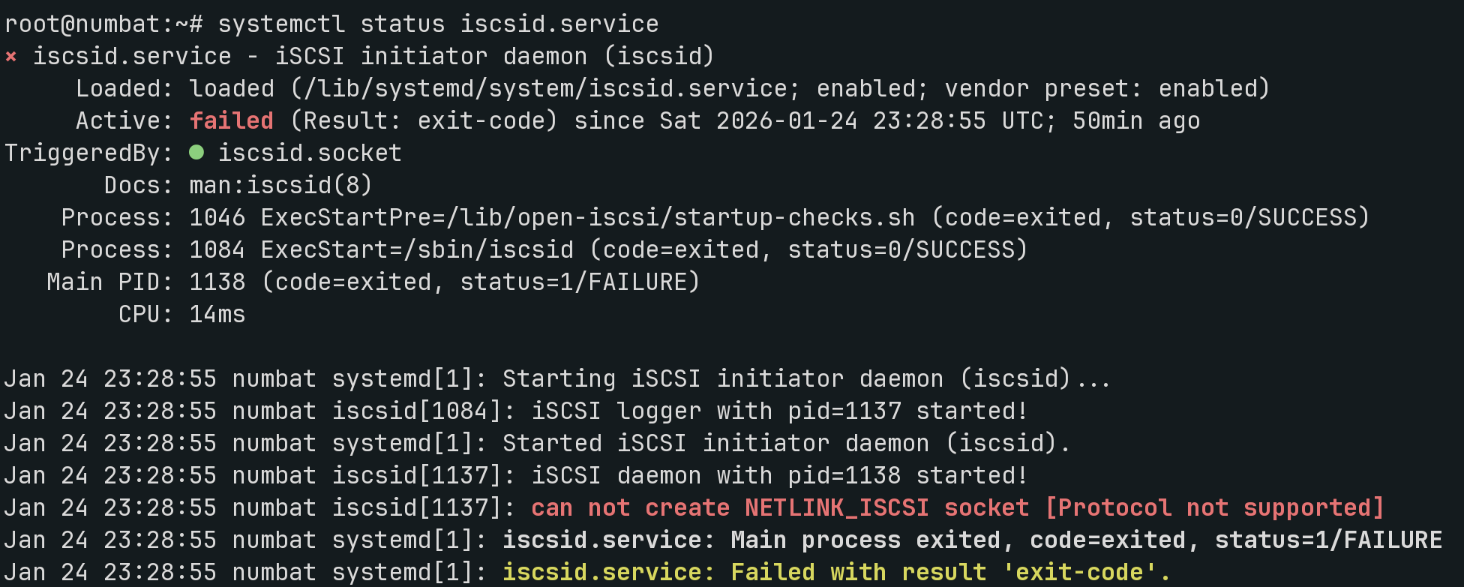
Learning from the istio errors, I suspected longhorn was also missing some kernel modules. The iscsid systemctl status also suggested missing kernel modules.
Rebuilding the kernel
I have never compiled it before myself but how hard could it be? I found a NVIDIA guide on how to customize the kernel and decided to give this a shot.
I found the source download and tried to compiled a kernel with all the options I needed. Istio have a doc on its module requirements, it is just iptables/nftables all the way down. iSCSI requirements were harder to find but fortunately Gentoo had some docs on what is needed (Initiator and Target)
I copied zcat /proc/config.gz to .config in the kernel source and went to
town with vim. I had to look up which CONFIG_KERNEL_CONFIG maps to the
kernel_module using this helpful site.
Once I finished, I hit compile, copied the kernel to /boot/Image on the node,
and felt like I’ve suceeded.
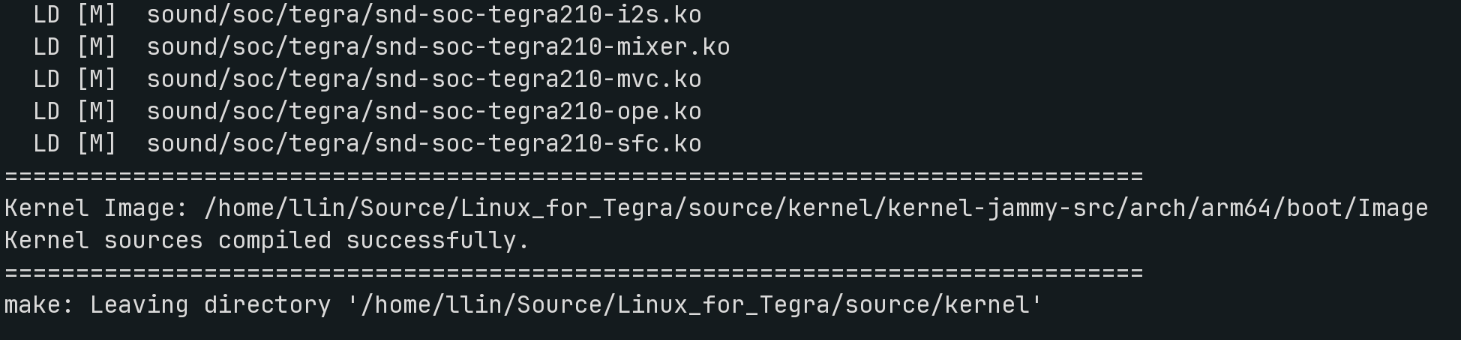
The node rebooted and just when I was about to celebrate victory, I realized I
had broken the nvethernet driver. Crap. Fortunately I made a backup of the old
kernel file as /boot/Image.backup and was able to restore it. Not knowing what
I did wrong I was back to drawing board.
Learning from my mistakes
I started looking for blogposts from people who had successfully modified the L4T kernel before. I realized that I didn’t understand kernel compilation enough to try this without guidance. The NVIDIA documentation was also not intended to be educational for beginners.
I stumbled upon an amazing site, JetsonHacks.com, their articles and guides are closer to my skill level with the kernel (noob). They even have a specific article on the orin series.
Using their guide, I realized what I did wrong
Installing the Kernel but not the modules. Kernel goes to
/boot/Imageand modules goes in/lib/modulesNot setting the
vermagicwhen compiling the new kernel, which prevents the modules from being loadedEditing the kernel configs with vim instead
make menuconfigTUI. The TUI handles dependencies and you should never modify the config file yourself.(Bonus) Not using
/to search in the TUI
Following their guide video and
using their helper scripts,
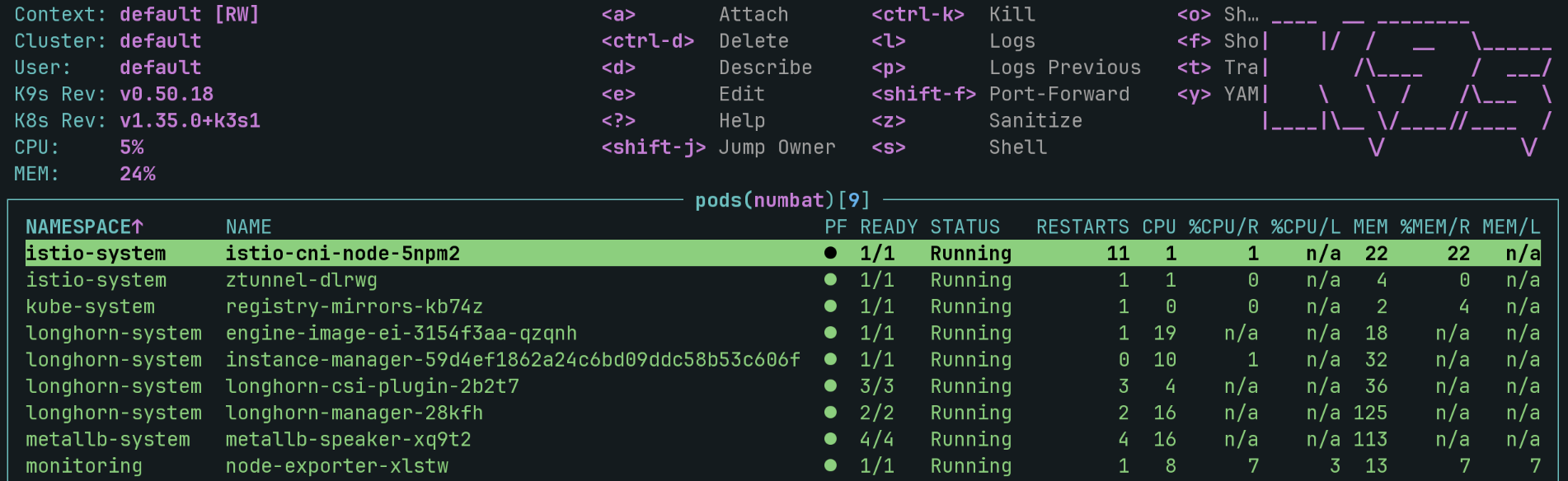
I was able to build a Kernel that actually worked with all the modules istio/longhorn
needed. I also had to add xt_set and ip_set_hash_net which wasn’t documented
by istio to get this working.
Conclusion
This is just the first step in making this node useful in my homelab but thanks to this experience I can finally say I’ve compiled the Linux kernel.