Using Pangolin to unify my networks
One of the things that’s been bothering me about my homelab is that it’s really two separate networks. When I’m home, everything works: I can reach my services, my MetalLB IPs, my VPS over Hetzner. When I’m traveling, I’m cut off. My VPS on Hetzner has no way to reach the homelab either, which means any cross-site automation I’ve wanted to build has just been a non-starter.
The obvious answer is a VPN. I’ve used Tailscale before and it’s great, but I wanted something I could migrate away from if needed, and I didn’t want to self-host the control plane. After some research I landed on Pangolin using the Pangolin Cloud, mostly because I’m not confident in setting up a DMZ yet.
My network
| Subnet | Purpose |
|---|---|
| 192.168.1.0/24 | WiFi / User Devices |
| 192.168.2.0/24 | Homelab Nodes |
| 192.168.3.0/24 | MetalLB LoadBalancer IPs |
| 192.168.4.0/24 | Hetzner VPS Nodes |
The goal is simple to state: these subnets should be able to reach each other, whether I’m at home or not. In practice this means the homelab needs to be reachable from the VPS, and VPS nodes need to be reachable from the homelab. Furthermore, I should be able to connect to this while traveling from a laptop or phone.
Pangolin sites
Pangolin’s primitive for this is a “Site.” Instead of enrolling individual hosts
like Tailscale does, you enroll whole network segments. Each site runs a site
connector called newt that tunnels back to Pangolin Cloud. Once two sites are
connected, the hosts in each segment can route to each other through the tunnel.
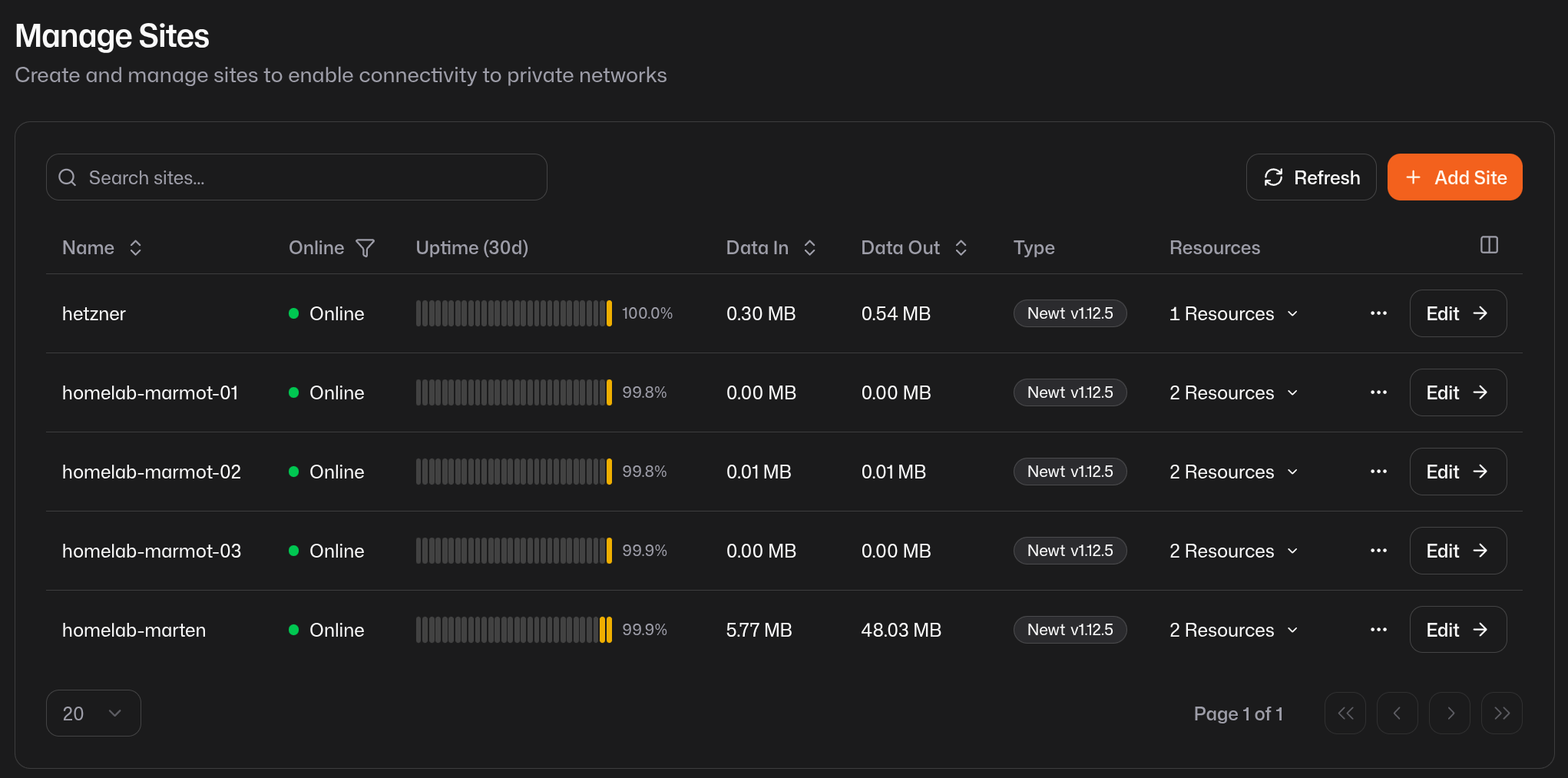
I set up sites connecting two networks:
- homelab —
newtin k8s - hetzner —
newtin docker compose
It was easy to wire the homelab and hetzner up. I used the official helm charts for newt in k8s and FluxCD took care of the job easily. For hetzner I’m running simpler docker compose stacks so that was easy as well.
For resiliency, the Pangolin docs recommended running multiple sites per network
for redundancy. I decided to set up sites over the marten and marmot nodes.
For hetzner, the sole node falcon runs the newt site for now.
Setting up resources
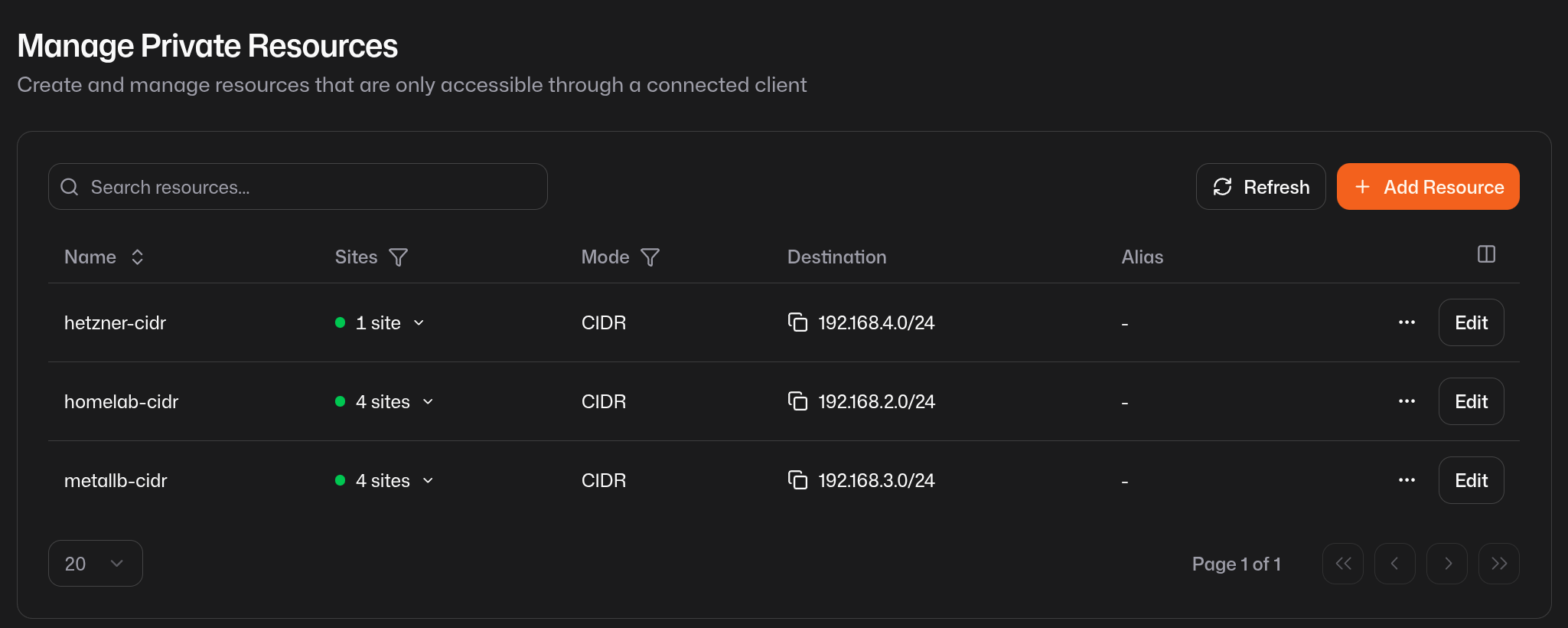
Once the sites were connected, it was easy to add the internal CIDR blocks as
resources. Pangolin is identity aware so you can easily control access to
specific resources. I added all my network blocks with the exception of
192.168.1.0/24 to protect user devices.
Routing to the network
Connecting the sites and adding resources tells Pangolin that the networks exist, but it doesn’t automatically make the hosts in each network know how to reach the other network. That’s a routing problem, and nothing in the Pangolin UI solves it for you.
I couldn’t ping anything in 192.168.4.0/24 from inside the homelab. The sites were up. The tunnel was up. But packets had no idea where to go. To solve this, I could configure a client for every host, but this seems unsustainable. I also wanted new user devices to be able to route properly without installing a client.
First I needed to deploy a client, pangolin-cli. It acts as a route advertiser
and actually injects reachability for the remote subnet into the local network.
I deployed this via k8s onto marten, the routing node’s host network. This
way, it manipulated the host’s routing table and made the network reachable on
that host.
Then I delegated to the router to route to that host as the rest of the network
did not have a client. I added a static route on the EdgeRouter: 192.168.4.0/24 → 192.168.2.40. Now any host on the homelab sending traffic to Hetzner will
hand it off to marten, which has the Pangolin tunnel. After both of these I
could ping 192.168.4.x from the homelab. Progress.
The quiet failure
Close to midnight, I was close but not there. Pings to 192.168.4.x would hang: not “no route to host,” just silence. No ICMP unreachable. Packets were going in somewhere and not coming back.
The problem was NAT. marten was forwarding packets into the Pangolin tunnel
with their original source IP (192.168.2.x). The Hetzner VPS would receive the
packet, but when it tried to reply, it had no route back to 192.168.2.x. The
reply just dropped.
The fix is iptables MASQUERADE: rewrite the source IP to marten’s own
address before the packet enters the tunnel, so the return traffic comes back to
marten and gets forwarded home correctly.
iptables -t nat -A POSTROUTING -o pangolin -j MASQUERADE
I first tried to do this with nftables to play nicely with UFW, got confused,
and switched back to iptables-persistent. I still need to learn nftables since
iptables has been deprecated. After that, pings started coming back.
Where things stand
The four subnets can now talk to each other. I can reach my homelab from my
phone on cellular, and falcon can reach the homelab cluster. I still need to
add resiliency for the pangolin-cli deploy. I might want to experiment putting
that behind a MetalLB service so it can be automatically failed over. I also
don’t like having to use iptables so I might revisit how the proxying works.
Once I connected my phone as a Pangolin client on cellular, I could reach the entire private network. I enabled “DNS over Tunnel” and set the upstream to my AdGuard MetalLB IP. This now provides a standard access for me to manage my homelab whether I am at home or traveling. However I am still looking for ways to make this seamless without needing a client config change.